

Add Pivot
Compare question responses to additional data dimensions.
The 'Add cpivot' option on the Analytics tab allows you to pivot question response data to different data dimensions. There are currently two comparison options available - Customer Type and Question + Responses. The table is always sorted in descending order by Response Count.
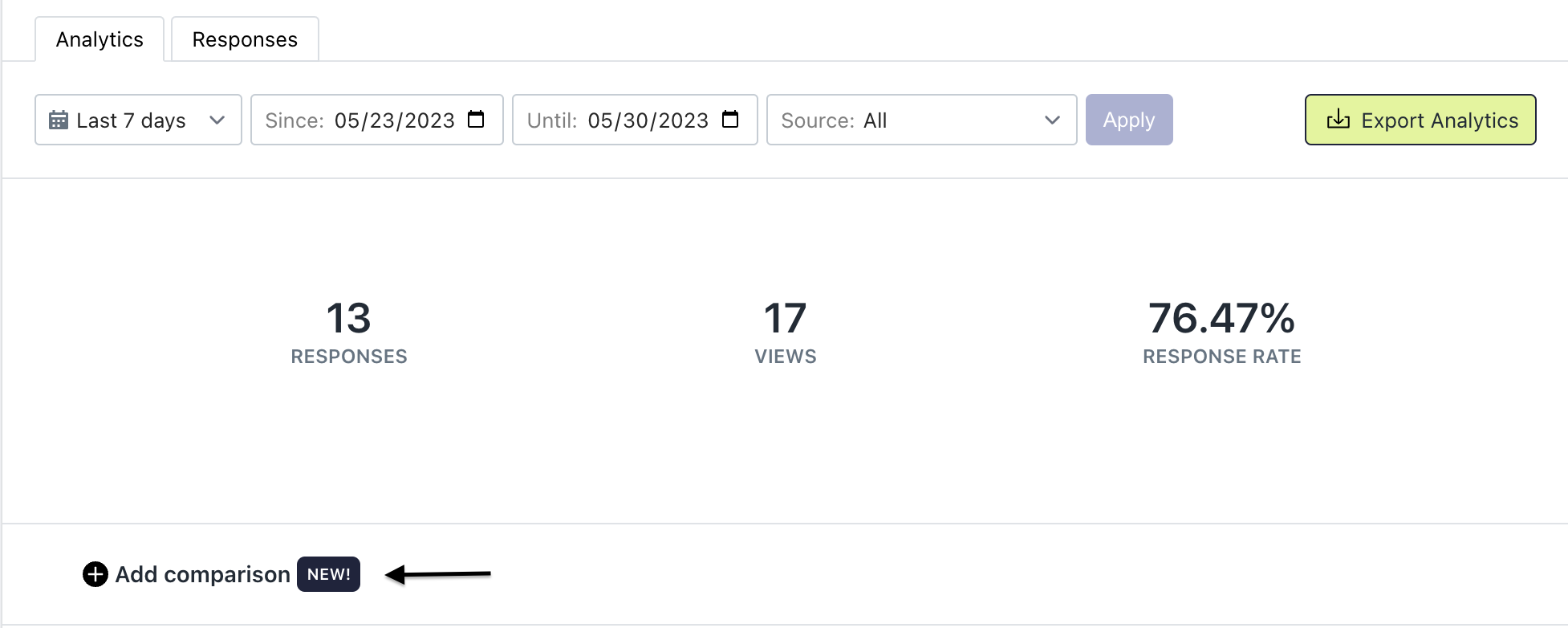
Add comparison
Customer Type
The Customer Type pivot will compare your question responses to whether the customer was New or Returning.
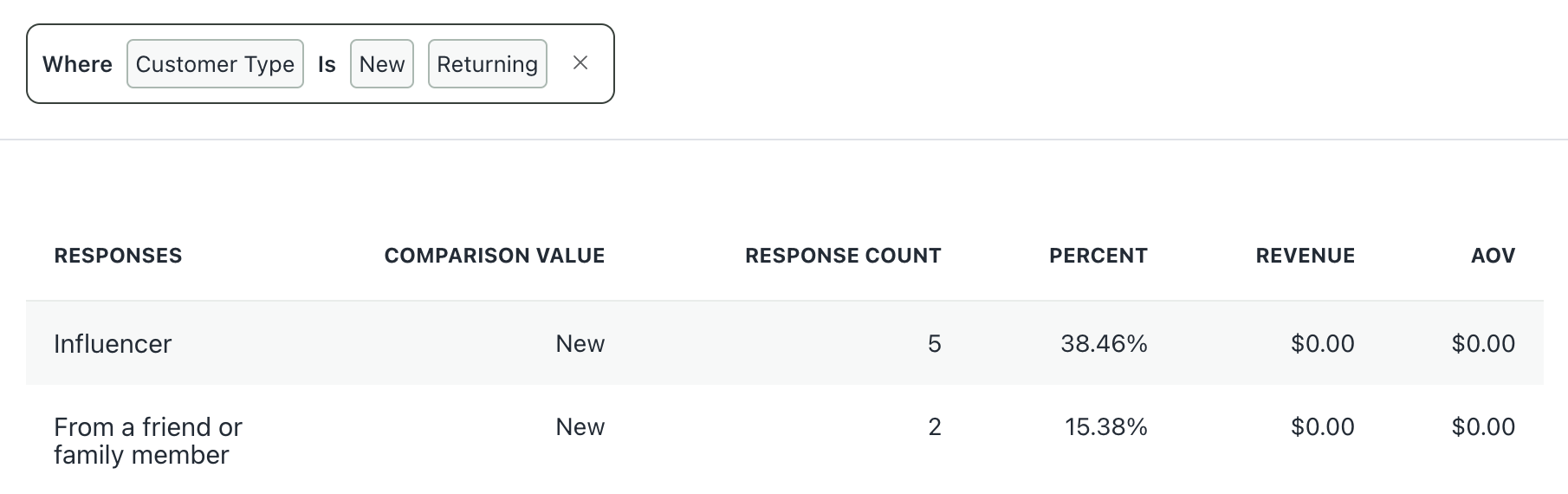
Customer Type comparison
Question + Response
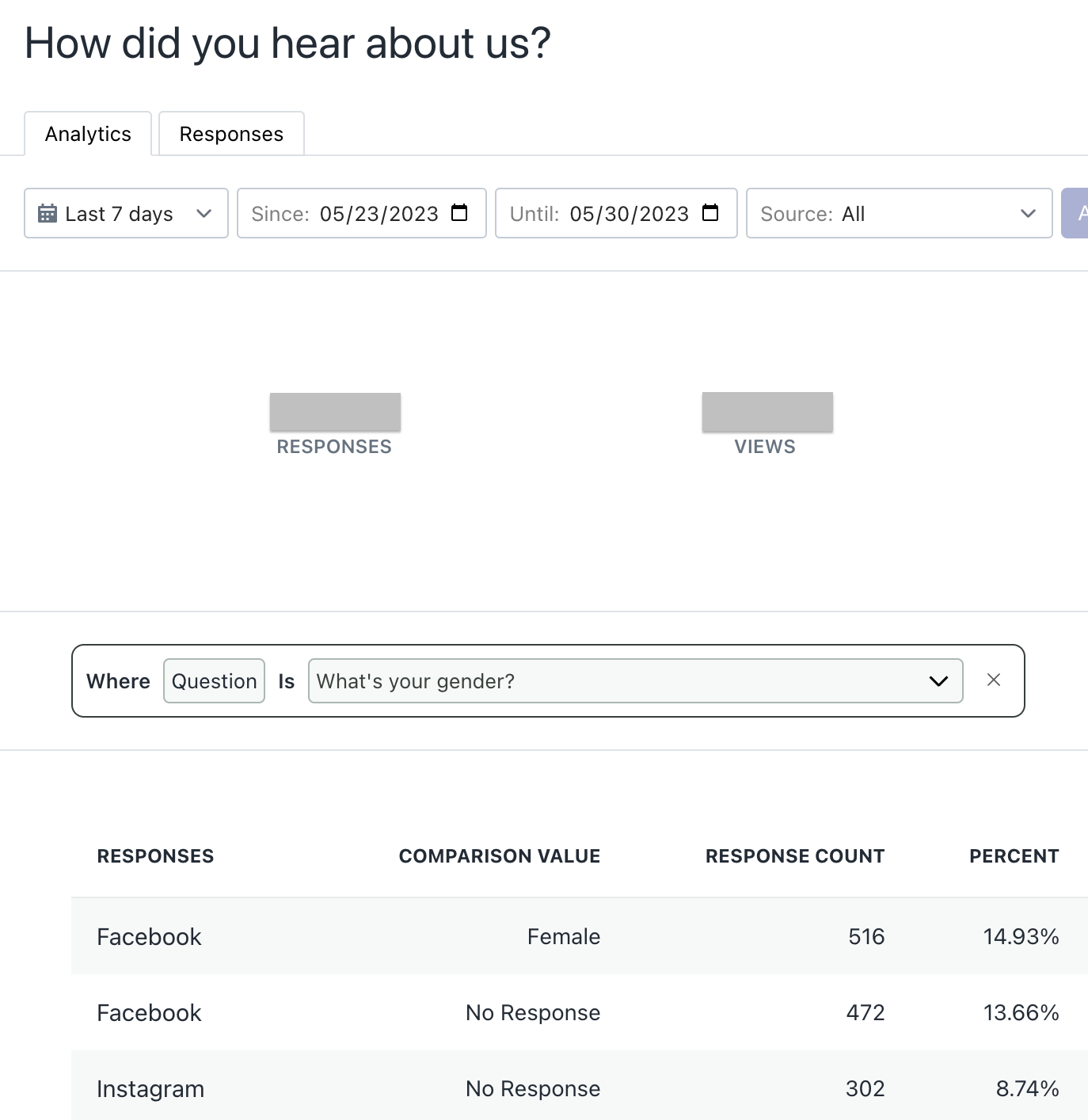
The Question + Response pivot will pivot your question to another single response question of your choosing. If a customer did not response to the second question, the Comparison Value will show 'No Response.'
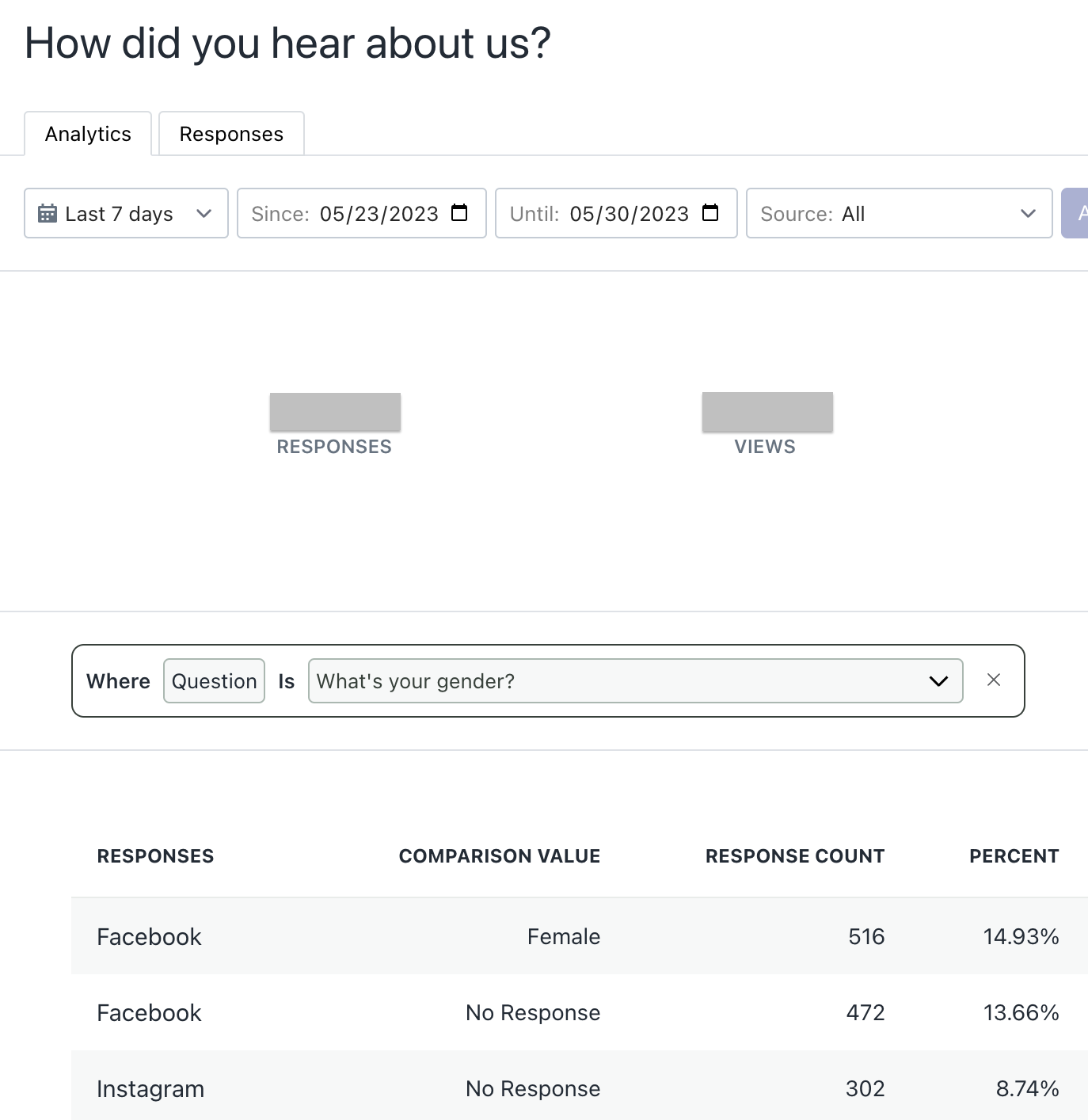
Question + Response comparison
Updated 5 months ago
Did this page help you?