

Display Surfaces
Control where your survey appears.
Surface targeting lets you control where each survey question appears - whether that's at checkout, on an in-store POS terminal, a landing page, or on a custom surface.
Shopify
Shopify merchants can choose from three pre-defined surfaces, or request a custom one:
- Shopify Checkout: Targets the post-purchase checkout pages (TY and OSP). Make sure to also add the Fairing app blocks to these pages.
- Shopify Point of Sale (POS): Targets in-store POS machines. See more on setting up Fairing on Shopify POS here.
- Shopify Landing Page: Targets a Shopify landing page you've created, commonly used for NPS follow-ups sent via email. See documentation on setting up an NPS email flow to a Shopify Landing Page here.
- Custom: Custom surfaces can also be added by the Fairing team. Reach out in the chat if you're interested in a custom surface.
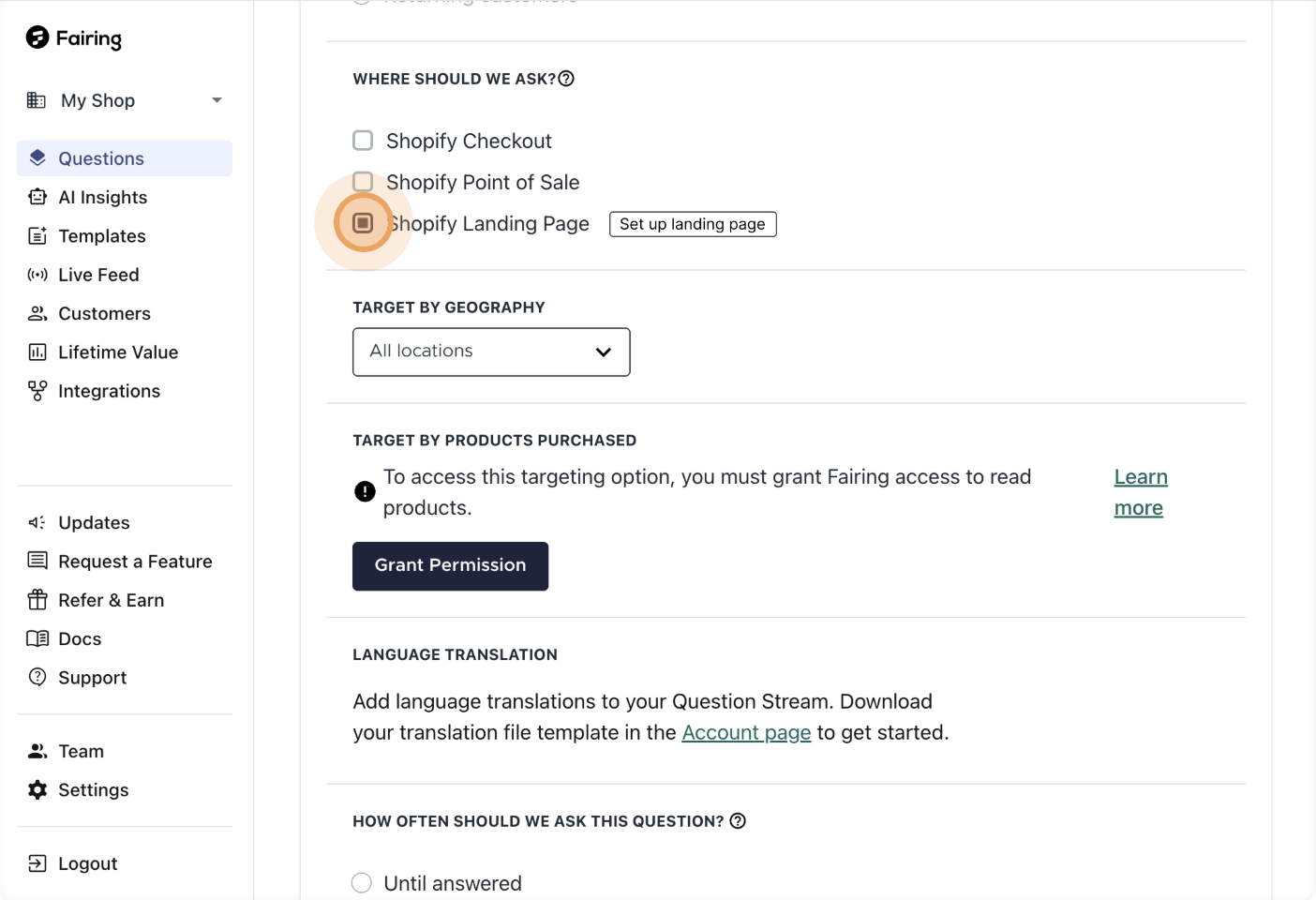
Question Edit
In the example above, the question is only targeted at the Shopify Landing Page surface, so it will not appear at Checkout or on POS. You can also target the same question at multiple surfaces, for example, showing "How did you hear about us?" both at Checkout and in-store via POS.
Web SDK (Non-Shopify)
Surface targeting is available for Web SDK customers. Configuration is managed by the Fairing team - there are no pre-defined surface options to select.
By default, if surface targeting is not set up, your survey will appear on every page where the Fairing script is installed. Use surface targeting when you want different questions to appear on different pages.
Steps to set up surface targeting
- Reach out to the Fairing team with which questions should display on which surface and what the surface should be called (the surface name must be a
snake_casedvalue, but is otherwise customizable). - In the Fairing script, depending on which page Fairing is loading on, pass the corresponding surface value in the source field in the conversion object.
Quick View
To see which questions are targeted at which surfaces at a glance, check the "Surfaces" label on the Question Stream page.
For Web SDK customers: if no surface label appears, the question is not targeted at a specific surface and will display wherever the script is installed.
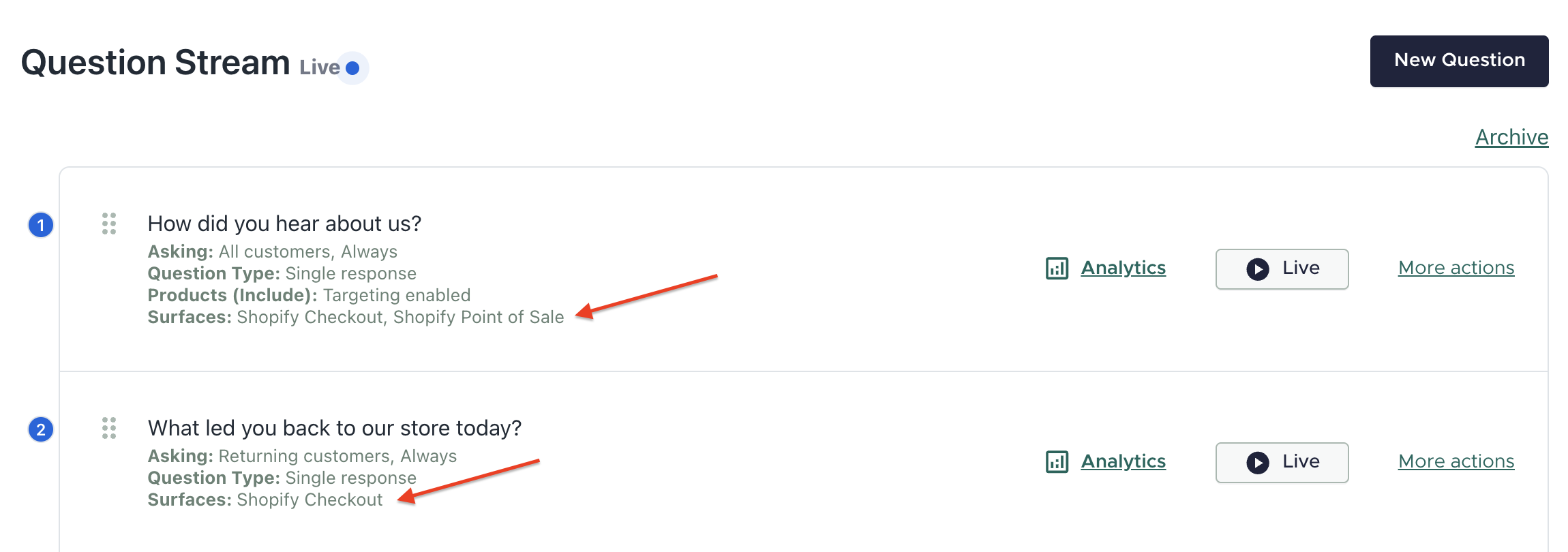
Question Stream
Updated 5 months ago