

Agentio
Agentio is an AI-native platform for creator advertising.
There are two available integrations with Agentio:
- Sync your Fairing Responses to Agentio to include Fairing reported conversions in your Agentio reports.
- Sync your Agentio creator schedule to Fairing to automatically update your YouTube follow up question (i.e. Where on YouTube?).
Sync Fairing Responses to Agentio
Sync your Fairing Responses to Agentio to enhance Agentio reporting.
Integration Setup
- In Fairing, navigate to Integrations > Agentio > Connect.
- Click Enable to generate a unique API key.
- In Agentio, navigate to Settings > Integrations > Fairing and paste your Fairing API key.
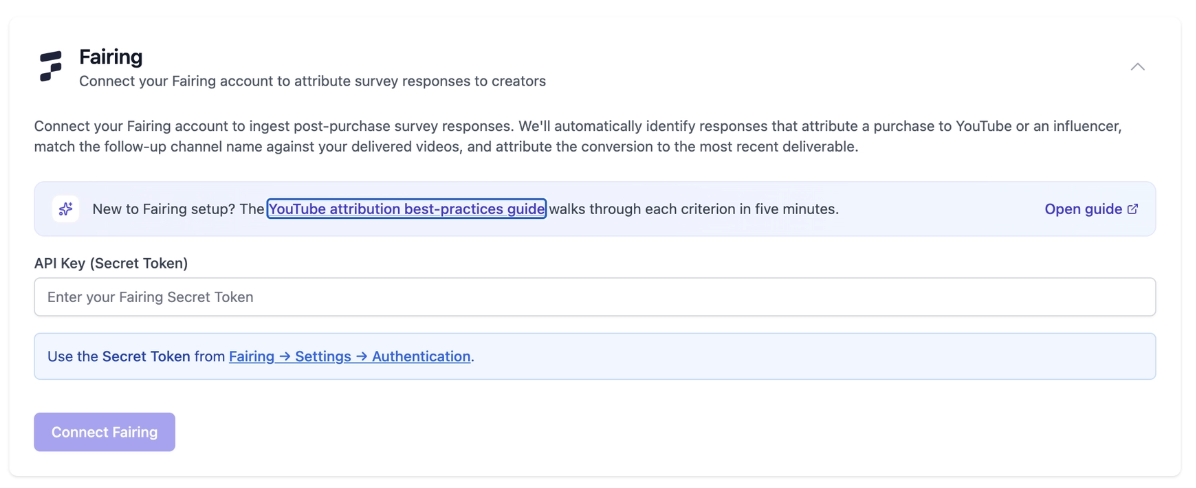
- In Agentio, orders attributed to matched creators from your Fairing data are automatically shown as conversions in Reporting. You can select primary conversion metrics in Reporting → Update Primary Metrics.
Ensure Proper Survey Configuration
For Agentio to capture YouTube attribution, the Fairing survey needs:
- At least one attribution question - a question like "How did you hear about us?" or "What motivated your purchase?" targeted at new and/or returning customers.
- A "YouTube" or "Youtuber" response option on that question - so customers can specifically say they came from YouTube.
- A clarification (follow-up) question on the YouTube response - when someone picks "YouTube", a follow-up asks which creator or channel they watched. This is how we match to specific creators.
- Auto-suggest on the clarification - the follow-up should use the "auto-suggest" question type with channels filled in as bulk responses so customers can type and find the right channel name.
- Free-text allowed - the clarification should allow an "Other" response so customers can type in a channel name even if it's not in the pre-set list.
Sync Agentio Creators to Fairing Response List
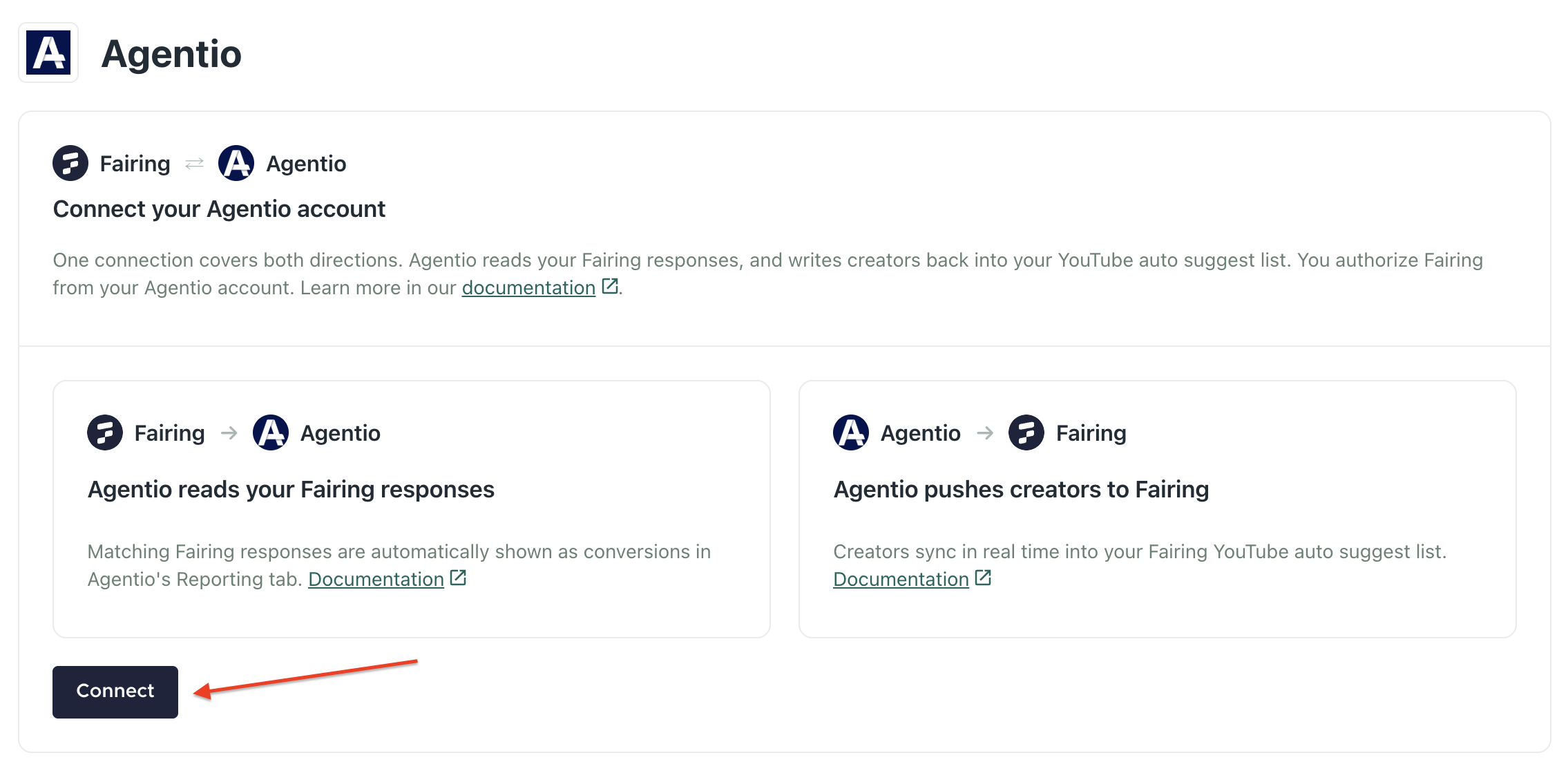
Sync your Agentio creator schedule to Fairing to automatically update your Managed Auto Suggest List for YouTube. Attach the YouTube list to your 'Where on YouTube?' follow up question and let the integration automatically update your response options.
Available on the Advanced Attribution planThe sync from Agentio > Fairing is only available on Fairing's Advanced Attribution plan. Learn more about the Advanced Attribution plan here
Integration Setup
- In Fairing, navigate to Integrations > Agentio, and kick off the OAuth flow by clicking Connect.
-
After clicking Connect and completing the OAuth flow, all historical YouTube creators you have worked with in Agentio will sync to your Managed Auto Suggest List for YouTube. The integration will continue to sync real time to add any new YouTube creator partnerships to your YouTube list.
Note: Make sure your YouTube list is connected to your attribution question.
Updated 12 days ago