

Shopify Analytics
Sync your Fairing survey response data to Shopify Order Metafields so you can analyze attribution, NPS, and other survey data directly in Shopify Analytics alongside your existing Shopify data points and metrics.
Integration Setup
- Navigate to Integrations >> Shopify Analytics and click Connect.
- By default, all of your historical data will be backfilled when the integration is enabled. If you do NOT want your historical data backfilled, uncheck Backfill all historical response data to Shopify Order Metafields prior to enabling the integration.
Note: If you have downstream systems that listen for Shopify Metafield changes (e.g. webhooks or third-party integrations), the initial backfill may trigger a large volume of events, which could result in unexpected costs.
- If you have not already done so, you will be prompted to grant Fairing the
write_ordersscope in Shopify. This scope is required for Fairing to write data to Order Metafields and will not be used for any other purpose. - Scroll to the bottom of the page and click Grant permission & enable integration. If you have already provided the
write_ordersscope, this button will just say Enable integration.
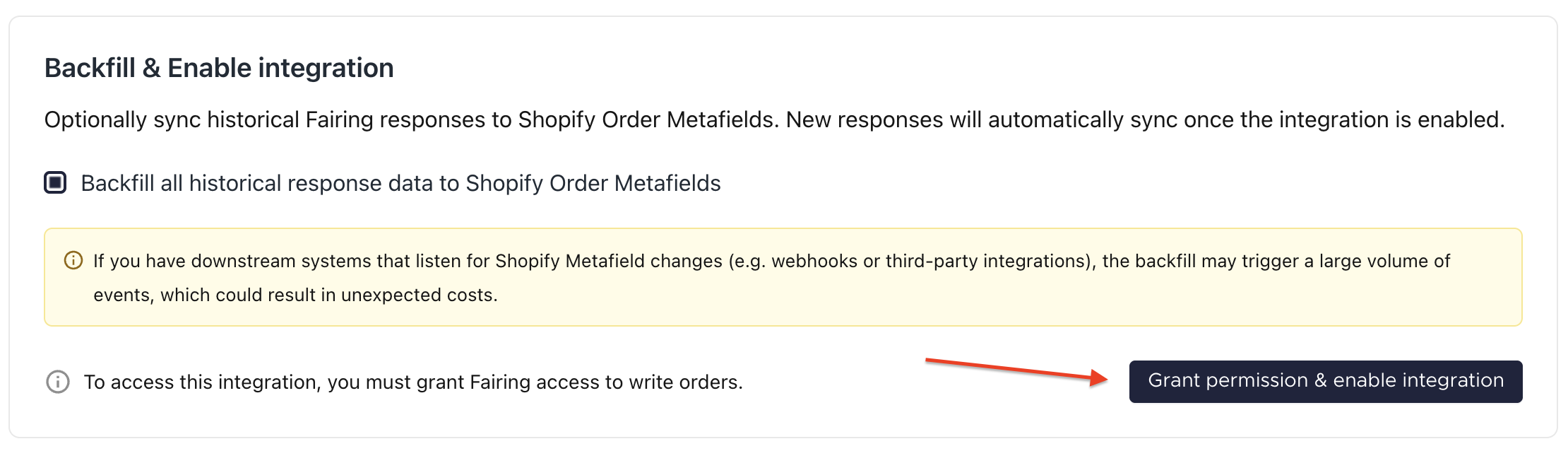
Grant permission & enable integration
- You will then be redirected to Shopify to grant the permission. After clicking Update, you will be redirected back to Fairing and the integration will be enabled.
- Enabling the integration kicks off a backfill process for existing responses (if selected) and will real-time sync all new responses going forward. The backfill can take anywhere from 30 minutes to a few hours. If after 24 hours you are not seeing the expected data in Shopify, reach out to the Fairing team.
Integration Mapping
Your Fairing questions will automatically be mapped to a Shopify Metafield Name and a Shopify Metafield Key.
- Metafield Name: The display name searchable under Dimensions and Filters in Shopify Analytics. By default, this is your question prompt prepended with "Fairing" and appended with a unique question ID, for example:
Fairing: How did you hear about us? - 90152. - Metafield Key: The technical identifier used when writing ShopifyQL. By default, this is the unique question ID prepended with "question", for example:
question_90152.
If you want to change the Metafield Name or Key, please reach out to the Fairing team.
Limitations
Not all Fairing question types are supported by this integration:
- Open-ended and date questions are not synced to Shopify. If you are interested in syncing these question types, please reach out to Fairing in the chat.
- "Other" responses are synced as
Otherrather than the raw free-text response. If you are interested in syncing the raw "Other" response data, please reach out to Fairing in the chat.
Managing Metafields
If you do not want a specific Fairing question to show up in Shopify Analytics, you can turn it off in Shopify once the integration is enabled.
- In Shopify, navigate to Settings >> Metafields and metaobjects >> Orders and select the Metafield you want to turn off.
- Under Options, toggle off Filter or group data in Analytics.
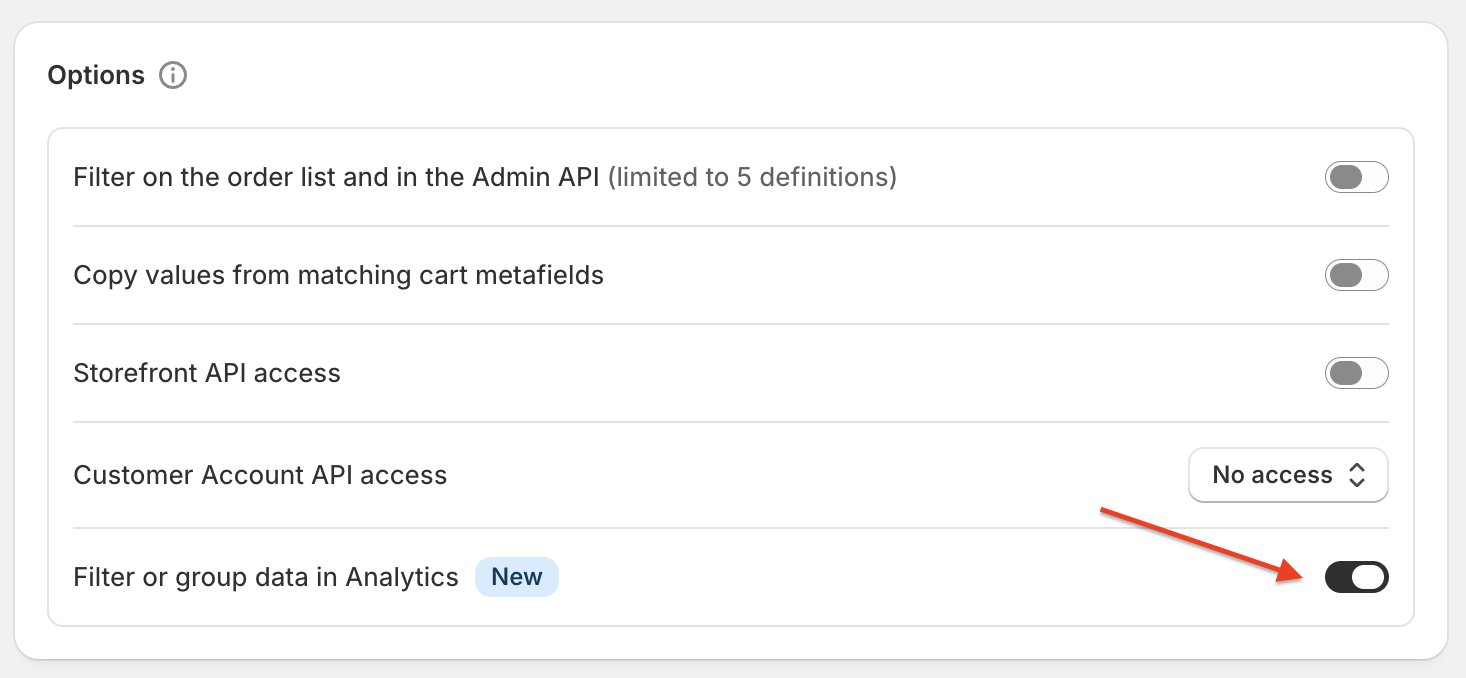
Filter or group data in Analytics toggle
Disabling a Metafield will not stop responses from syncing, it will just hide the field from Shopify Analytics. You can re-enable it at any time by toggling the option back on.
Fairing Data in Shopify Analytics
- After enabling the integration, navigate to Analytics in Shopify.
- Click New exploration in the top right.
- Use the report builder on the right-hand side, or copy one of the example ShopifyQL queries below.
- Search "Fairing" in the Dimensions panel to see all available Fairing fields.
- Note: All Fairing fields are saved on the Order object in Shopify.
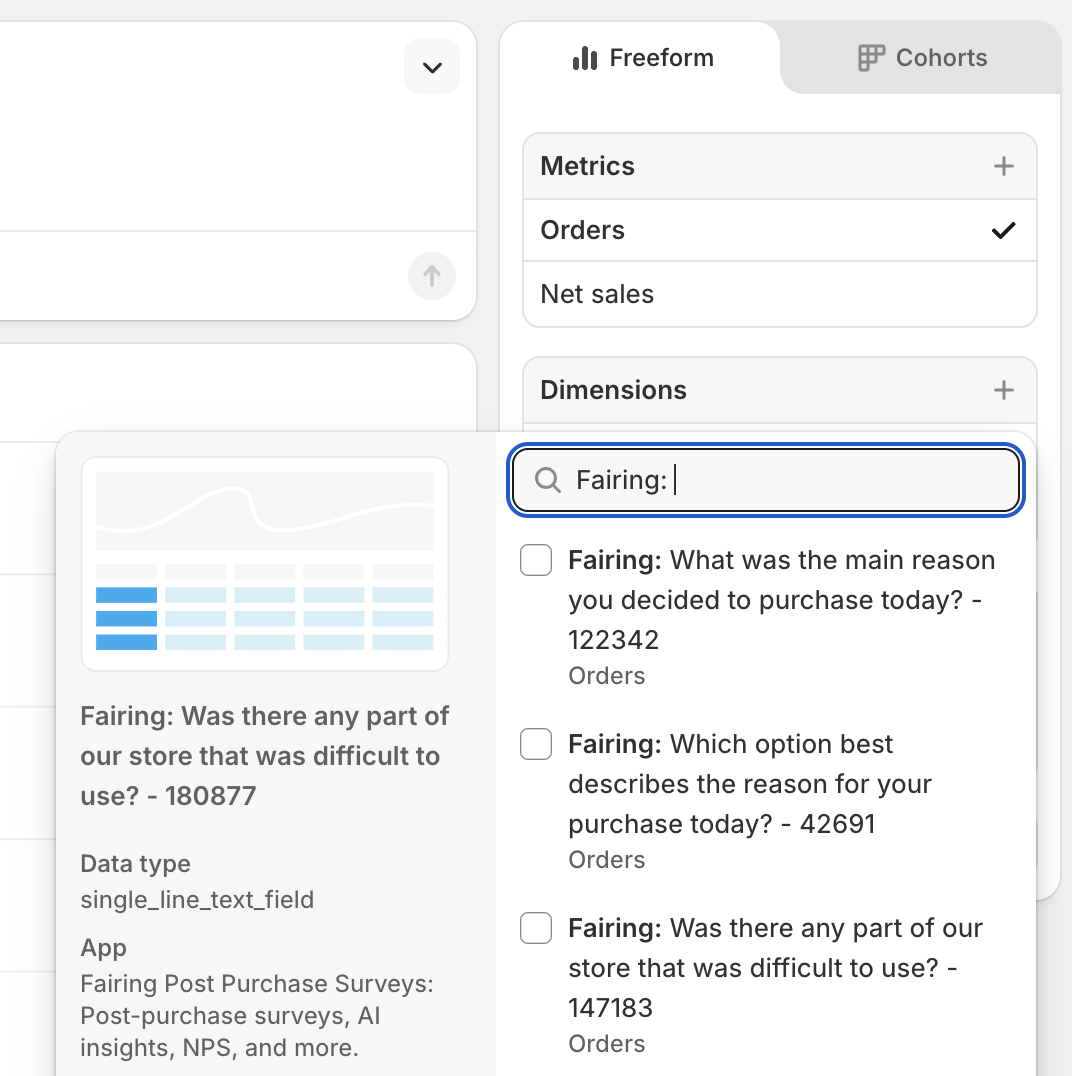
Add Fairing Dimension
- View your Fairing response data pivoted with the Shopify Metrics and Dimensions you selected.
- Tip:
Nonerepresents orders where the customer did not respond to the Fairing survey. You can filter these out under Filters by selecting the Fairing Metafield withis not None.
- Tip:
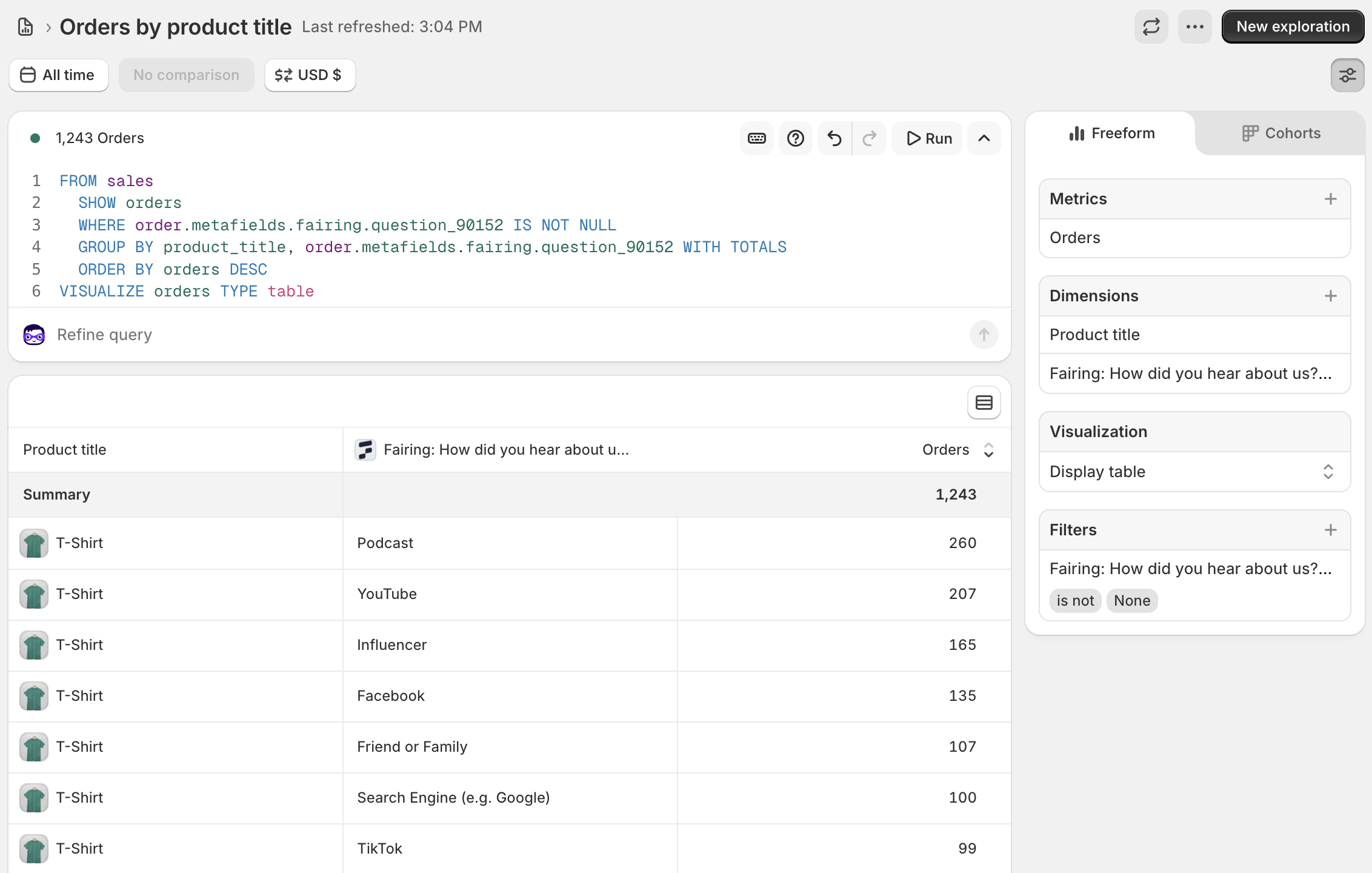
Shopify Analytics Report with Fairing Data
Example ShopifyQL Queries
In the queries below, replace question_90152 with your own Fairing question ID (found in the Integration Mapping table in Fairing).
Fairing Response Data & Product Purchased
See which attribution channels or survey responses are associated with different products - useful for understanding what's driving purchases of specific products.
Replace
question_90152in the query with your own Fairing question ID (found in the Integration Mapping table in Fairing).
FROM sales
  SHOW orders, net_sales
  WHERE order.metafields.fairing.question_90152 IS NOT NULL
  GROUP BY product_title, order.metafields.fairing.question_90152 WITH TOTALS
  ORDER BY orders DESC
VISUALIZE orders TYPE table
Fairing Response Data & Shipping Country
Break down survey responses by shipping country - helpful for understanding geographic differences in how customers discover your brand.
Replace
question_90152in the query with your own Fairing question ID (found in the Integration Mapping table in Fairing).
FROM sales
  SHOW orders, net_sales
  WHERE order.metafields.fairing.question_90152 IS NOT NULL
  GROUP BY order.metafields.fairing.question_90152, shipping_country WITH TOTALS
  ORDER BY orders DESC
VISUALIZE orders TYPE table
Updated 4 months ago