

Set Up Advanced Attribution
Take advantage of all the features available in the Advanced Attribution package. Set up takes about 10-15 minutes.
Want a quick overview of each available feature? Start here.
Want support migrating or learning more about the product? Book time with Fairing here.
1. Upgrade to Advanced Attribution
Once you've upgraded, all the Advanced Attribution features will unlock across the app.
2. Set up your Managed Auto Suggest Lists
Go to Questions > Managed Auto Suggest Lists. There are 4 managed auto suggest lists available - Podcast, YouTube, Influencer and TV.
Populate a list one of two ways:
- Connect a source. If you use Podscribe, Agentio, or Vibe, connect it and the list populates itself and stays current. See Connect Your Campaign Sources.
- Add values manually. Paste or type entries directly. See Managed Auto Suggest Lists.
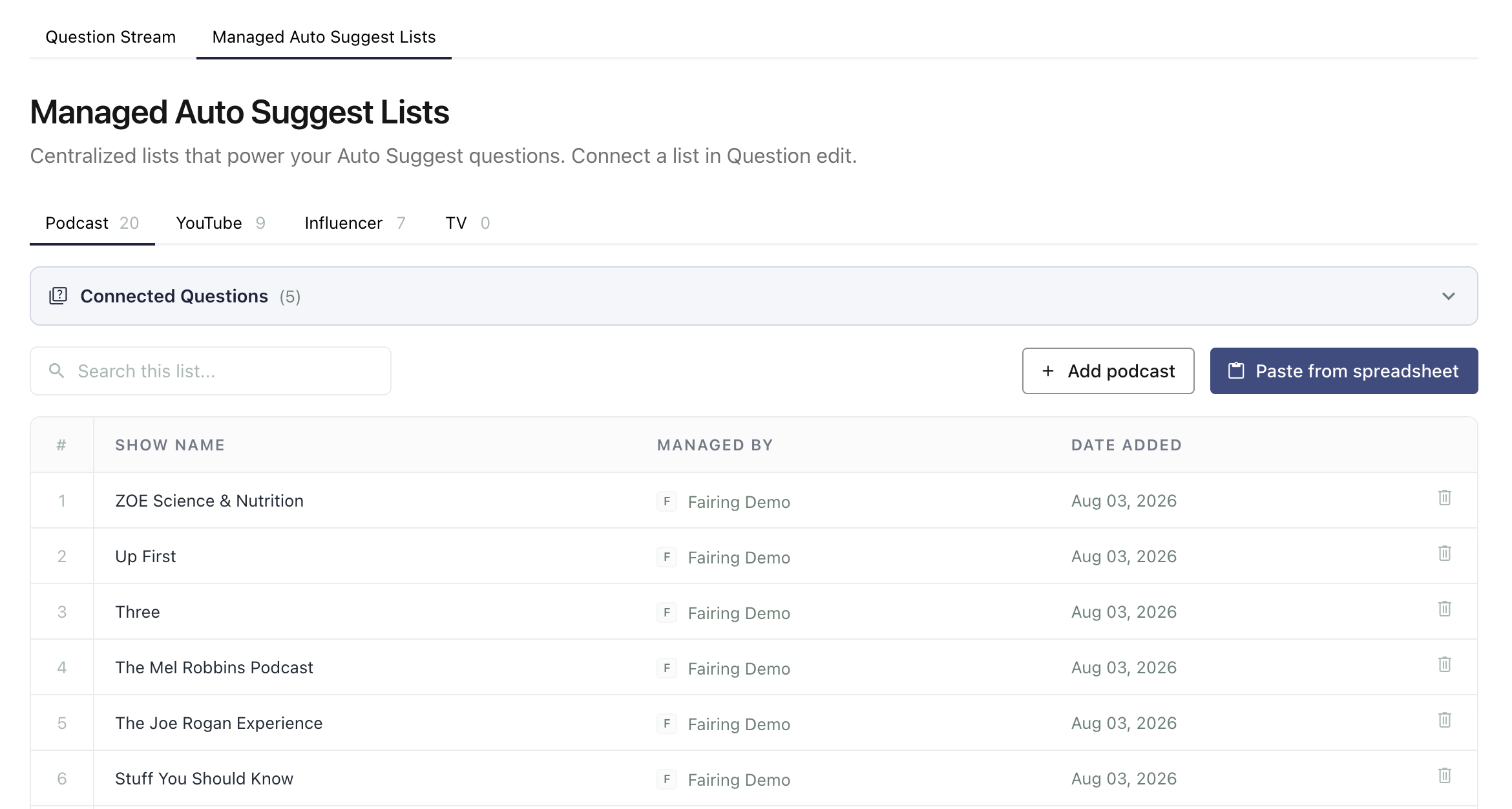
3. Attach lists to your questions
Open an auto suggest question and attach one or more lists. A question can draw from multiple lists, and a list can feed multiple questions. See Managed Auto Suggest Lists.
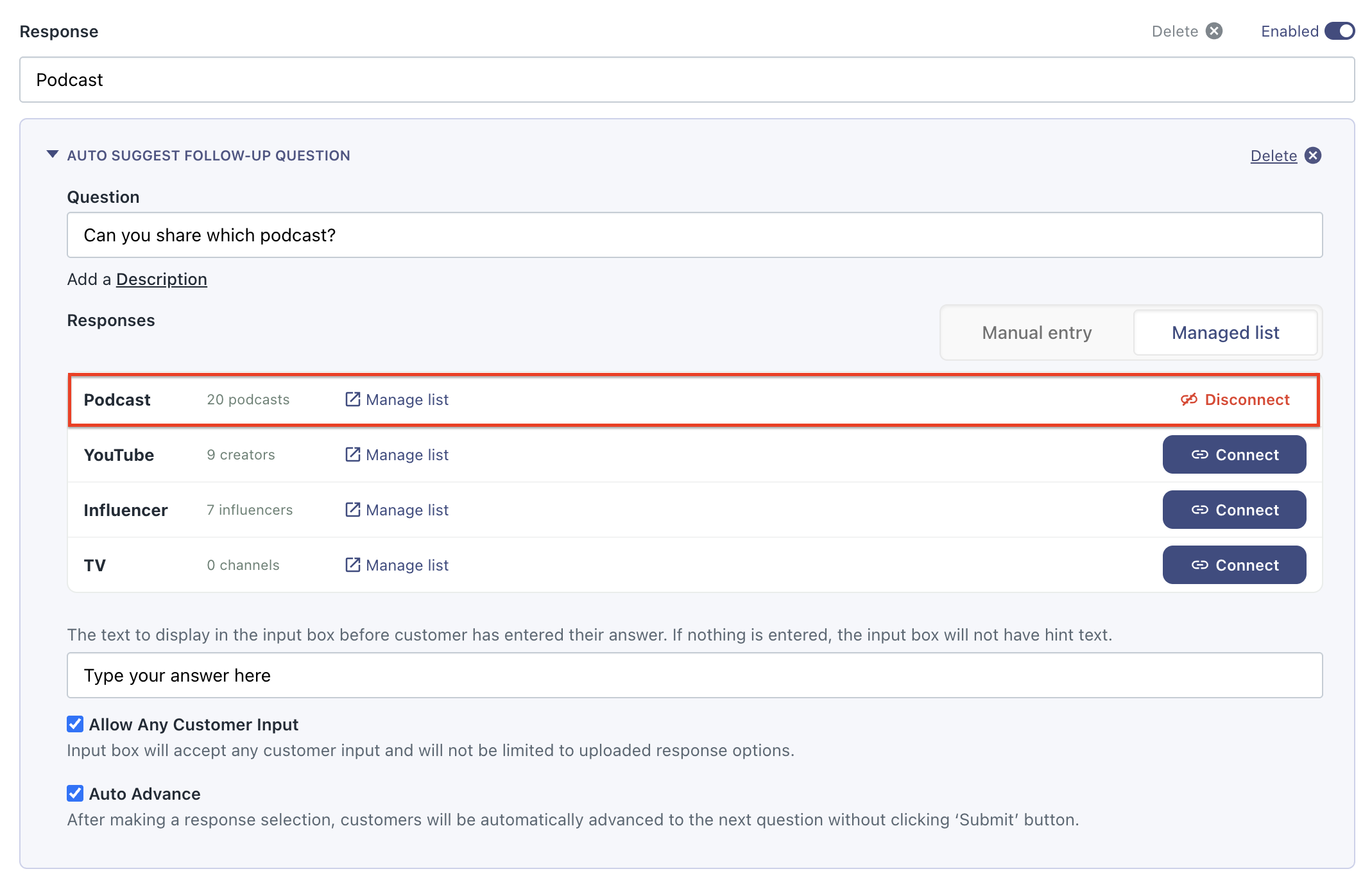
Need to convert a question to Auto Suggest?If you currently have an open ended or single response question that you want converted to auto suggest, reach out to [email protected] and we'll ensure all data is migrated between question types. You will never lose data by switching question types.
4. Turn on Smart Suggestions for Other top level
On your attribution question, check Allow Other and confirm Smart Suggestions for Other is on. Nothing to configure - suggestions are built from your question's existing response options. See Smart Suggestions for Other.
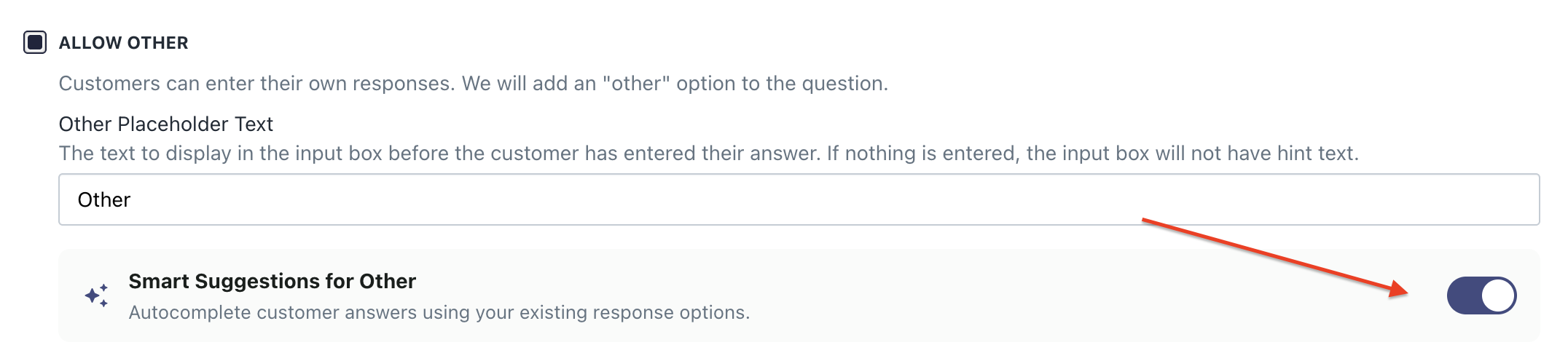
5. Turn on Smart Suggestion for Other follow up
If you run both ads and creator spend on the same channel, attach a list to the Other box of that channel's follow-up question so one question captures both. See Smart Suggestions for Other.
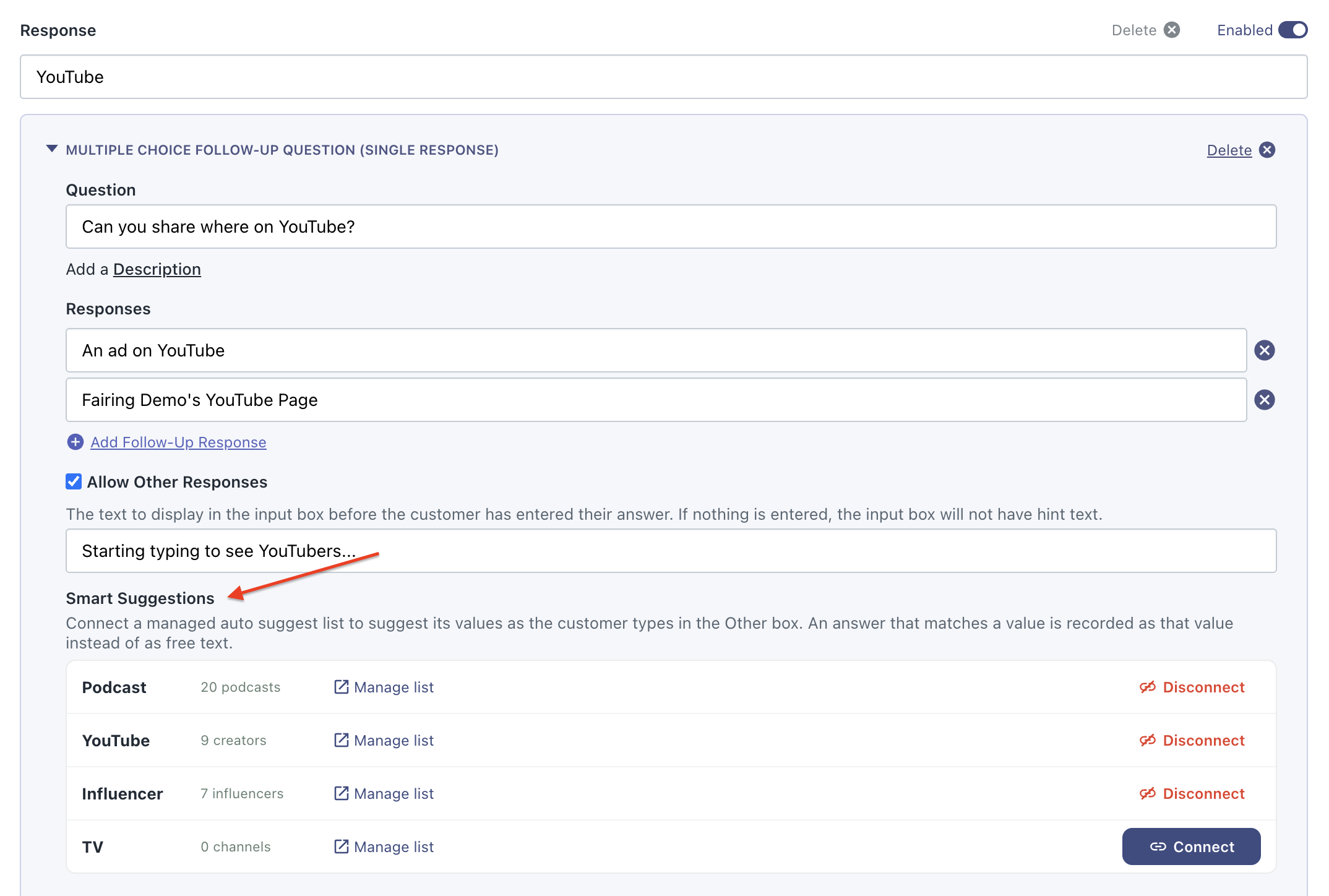
6. Preview your survey
Preview your survey to confirm suggestions appear as you type. Check your Analytics 24–48 hours later to see the impact of your updates.
Updated about 2 months ago