

Smart Suggestions for Other
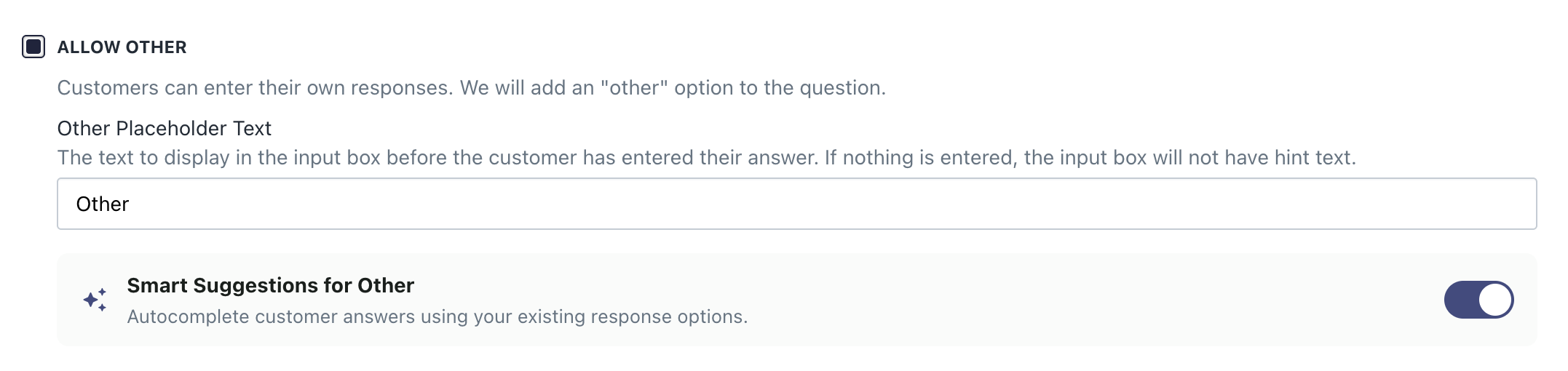
Smart Suggestions turn write-ins into structured data. As a customer types into an Other box, suggestions surface; selecting a smart suggestion records a structured response option instead of free text.
Where Smart Suggestions is available
| Top-level question | Follow-up question | |
|---|---|---|
| What it does | Autocompletes against the question's existing response options | Suggests values from a Managed Auto Suggest List you attach |
| Use it to | Catch write-ins that are really an option you already have | Capture the specific creator behind a channel you also run ads on |
| Setup | One toggle, nothing to choose | Attach one or more lists |
At the top level: autocomplete against existing response options
A meaningful share of what customers type into the top-level Other box isn't a new answer - it's an option already on the question. Smart Suggestions is built automatically from the question's existing top-level and follow-up response options, including values from any attached lists, deduplicated. There's no list to choose and nothing to maintain.
Setup
On any question with Allow Other enabled, find Smart Suggestions for Other directly beneath it.
On a follow-up: attach a list to Other
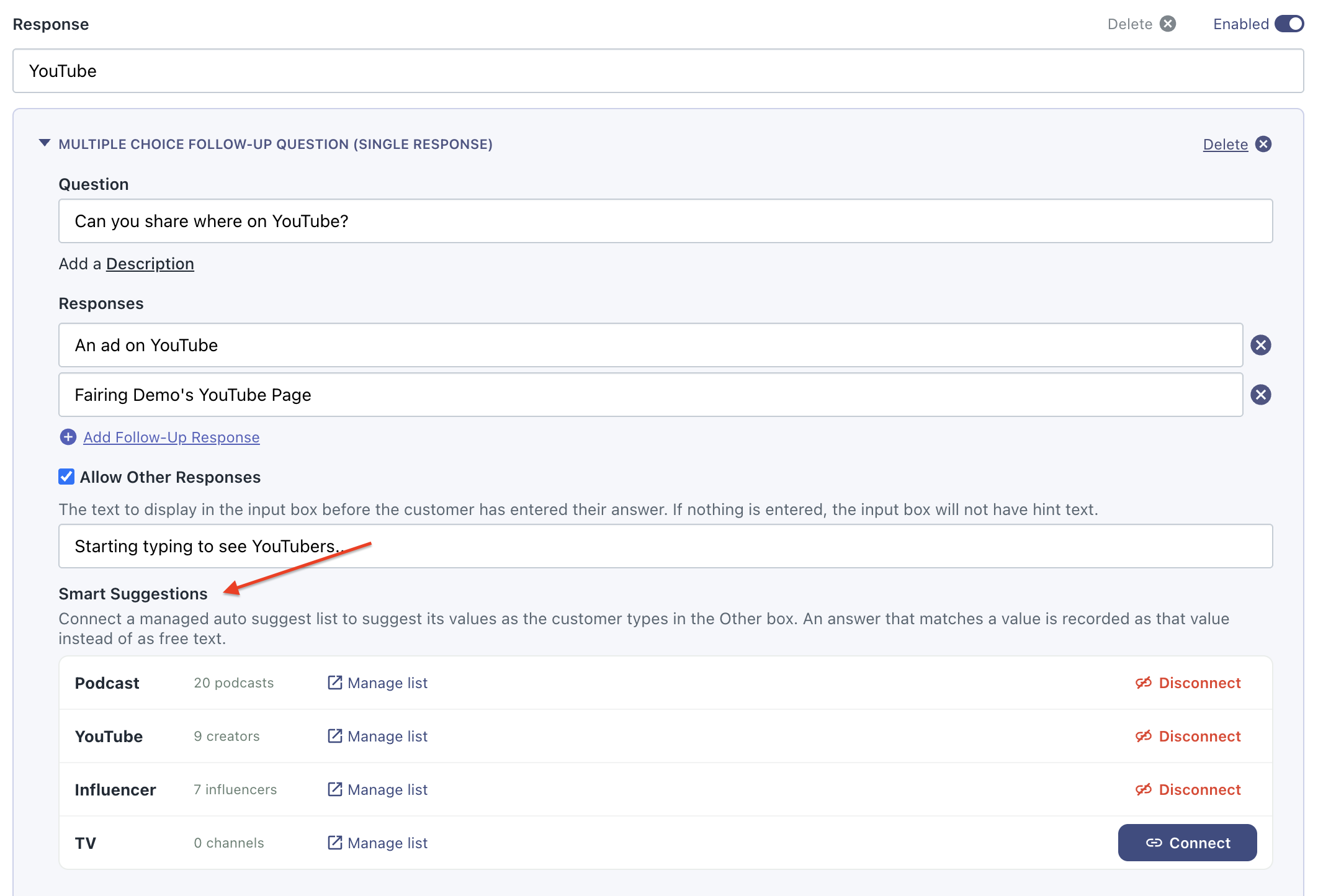
For channels where you spend on both ads and creators - i.e. YouTube, Instagram, TikTok - attach list(s) to your single response follow up Other box.
Setup
- Open the follow-up question. This works on single-response follow-up questions only — not top-level questions, and not multi-select.
- Enable Allow Other.
- Under the Other field, select the list(s) to attach.
What the customer sees
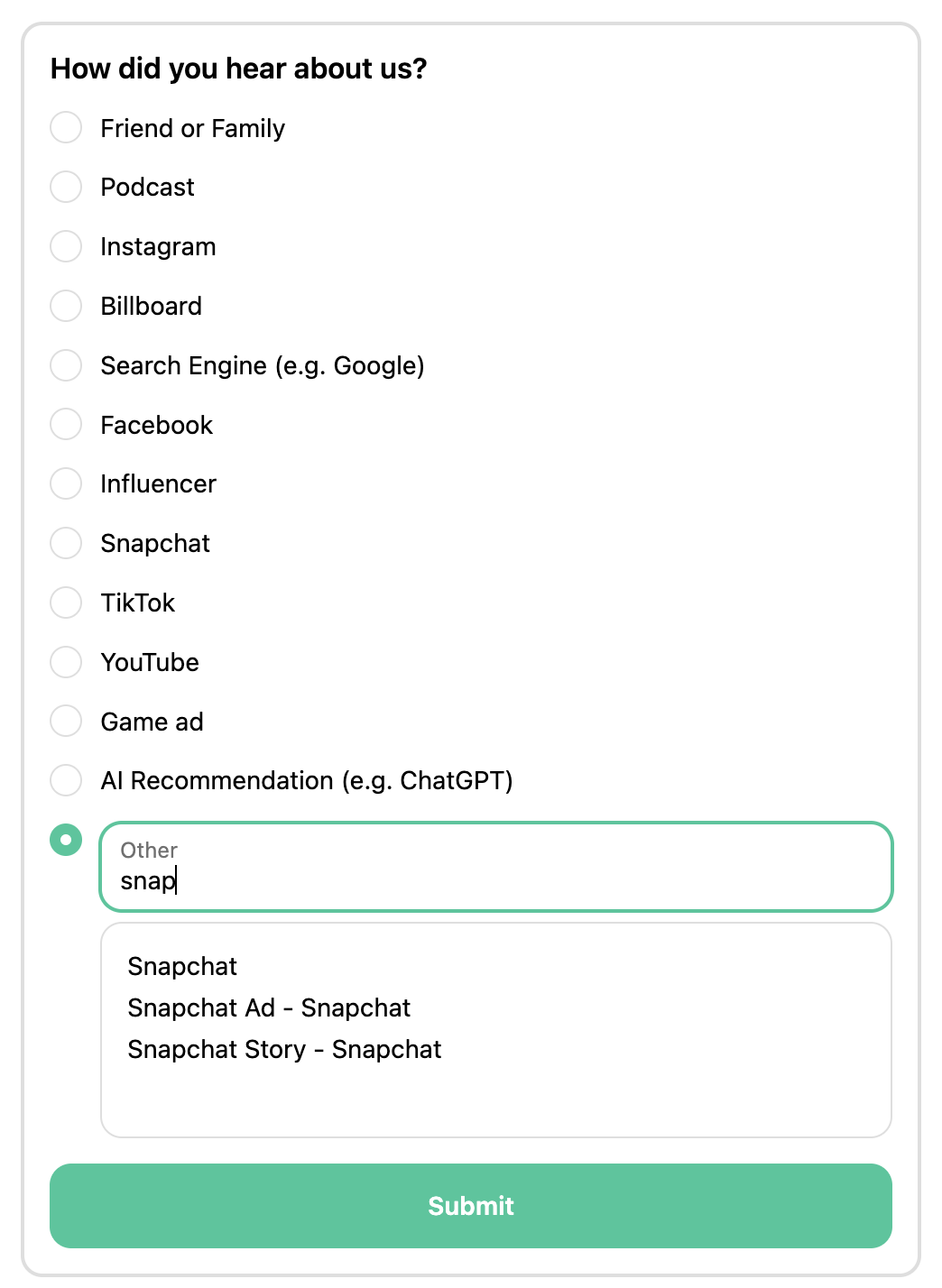
At both levels, Smart Suggestions appear as the customer types, the same as any Fairing auto suggest. Customers can still submit a free-form response - Smart Suggestions never blocks a write-in.
Selecting a Smart Suggestion also advances the survey, when Auto Advance is on, the same as selecting any response option. Typing free text without selecting does not auto-advance.
Updated about 2 months ago